If you’ve heard the term “MCP” thrown around in every AI conversation lately and wondered what the fuss is about — it’s not hype. The Model Context Protocol ecosystem genuinely changed how AI agents interact with the real world in 2025, and by early 2026, it’s become the backbone of agentic AI.
There are now over 1,200 MCP servers available. Most of them are noise. Here are the ones actually worth installing.
TL;DR — The Quick Take
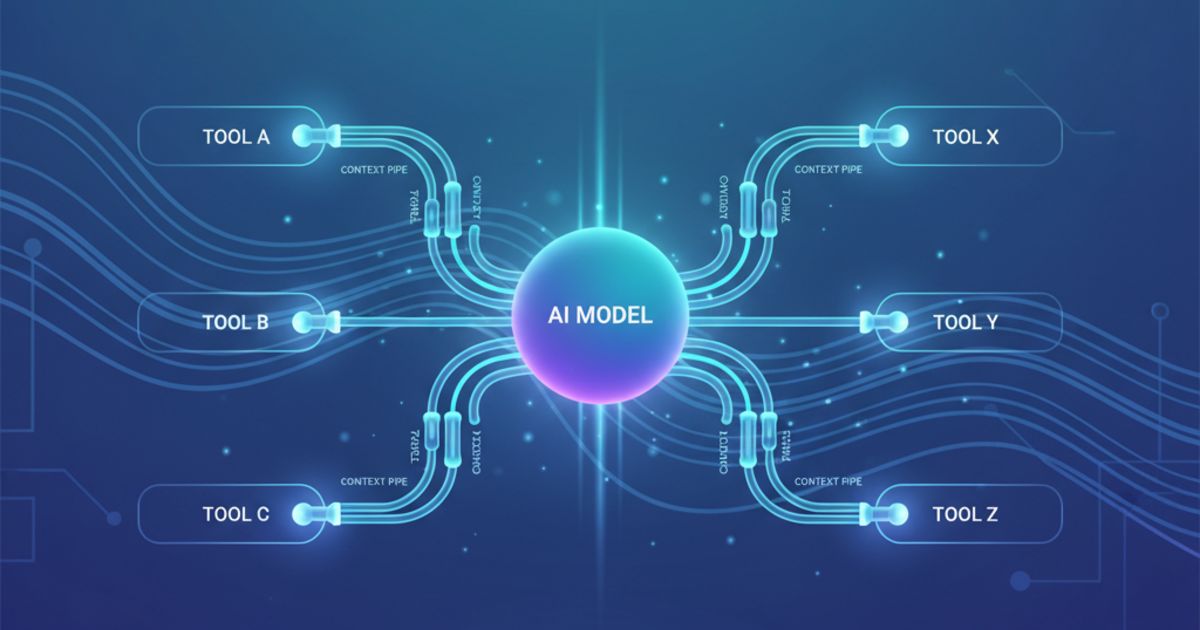
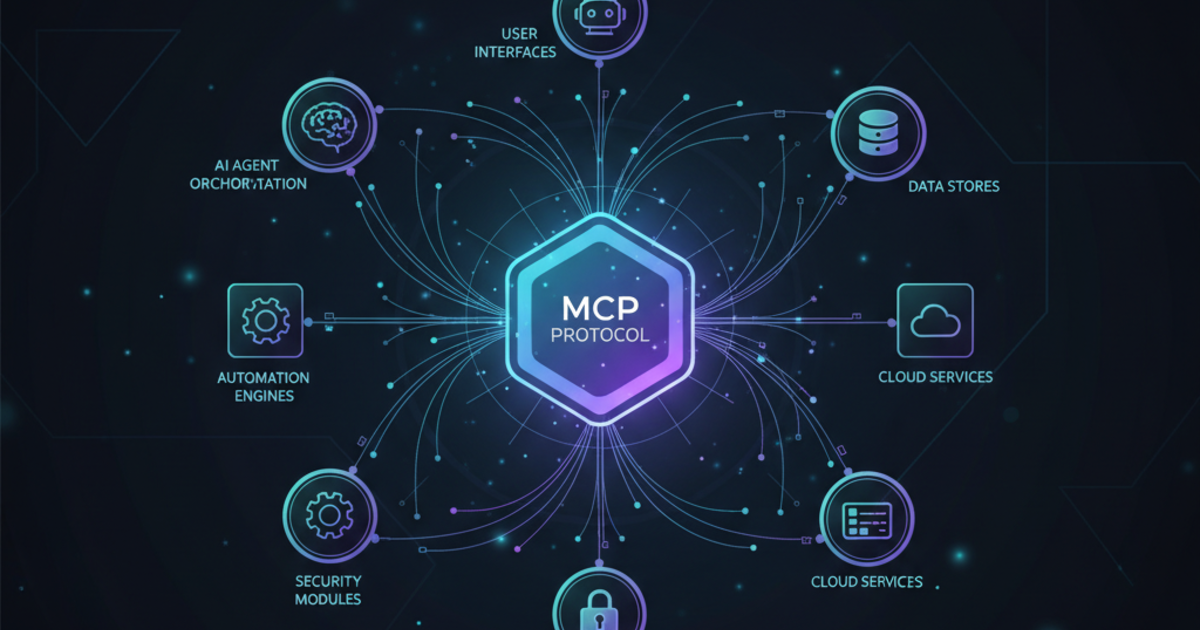
MCP (Model Context Protocol) is the universal standard for connecting AI models to tools. Think USB-C for AI. Anthropic created it, donated it to the Linux Foundation in December 2025, and now OpenAI, Google, Microsoft, and AWS are all on board. The ecosystem has 1,200+ servers — but you only need 8-12 to be dangerous.
What Is MCP and Why Should You Care?
If you’ve already read our deep-dive on MCP, you can skip this section. Quick version:
Before MCP: Every AI tool had its own proprietary way to connect to external services. OpenAI had function calling, Anthropic had tool use, Google had their own approach. Building integrations was a nightmare of vendor lock-in.
After MCP: One open protocol. Build an MCP server once, and it works with Claude Desktop, Cursor, Windsurf, OpenAI Codex, and any other MCP-compatible client. JSON-RPC 2.0 under the hood, inspired by the Language Server Protocol that powers VS Code.
The big moment came in December 2025 when Anthropic donated MCP to the Agentic AI Foundation (AAIF) under the Linux Foundation. Co-founded by Anthropic, Block, and OpenAI, with backing from Google, Microsoft, AWS, Cloudflare, and Bloomberg. This isn’t a side project anymore — it’s an industry standard.
The Best MCP Servers by Category
I’ve organized these by what you’re actually trying to do, not some arbitrary ranking.
🔧 Development & Version Control
These are non-negotiable if you’re using AI for coding.
| MCP Server | What It Does | Difficulty | Best For |
|---|---|---|---|
| GitHub | Manage repos, PRs, issues, branches, code review | Intermediate | Any dev using GitHub |
| GitLab | CI/CD pipelines, merge requests, OAuth 2.0 auth | Advanced | Enterprise GitLab teams |
| Docker | Build, run, inspect containers via AI commands | Intermediate | Containerized workflows |
| Supabase | 20+ tools: SQL, migrations, auth, storage, branching | Intermediate | Full-stack developers |
The GitHub MCP Server is the most-used MCP server in the ecosystem, full stop. If you’re using Cursor, Claude Desktop, or any MCP-compatible editor, install this first. It gives your AI direct access to your repositories — creating PRs, reviewing code, managing issues — without leaving your conversation.
Supabase’s official MCP server is a sleeper hit. 20+ tools including database branching, TypeScript type generation, and full project management. If you’re building on Supabase, this turns your AI into a legitimate backend co-pilot.
🗄️ Data & Databases
This is where MCP gets genuinely powerful for data work.
| MCP Server | What It Does | Difficulty | Best For |
|---|---|---|---|
| Postgres | Natural-language SQL, schema analysis, data modeling | Intermediate | Backend devs, analysts |
| MongoDB | Document queries, schema exploration, NoSQL design | Intermediate | NoSQL workflows |
| ClickHouse | Blazing-fast analytics on massive datasets (read-only) | Advanced | Analytics teams |
| Pinecone | Vector database ops, semantic search, embeddings | Intermediate | RAG applications |
| Qdrant | Open-source vector search, local-first option | Intermediate | Privacy-focused AI apps |
The Postgres MCP Server lets you ask questions about your database in plain English and get SQL back. Not groundbreaking as a concept, but the execution is solid — it understands schemas, handles complex joins, and the results are actually correct most of the time.
Pinecone and Qdrant deserve special mention for anyone building RAG (Retrieval-Augmented Generation) applications. They let your AI agent search through vector embeddings, which is essential for any knowledge-base or semantic search project.
💬 Productivity & Communication
Where MCP starts saving you real hours per week.
| MCP Server | What It Does | Difficulty | Best For |
|---|---|---|---|
| Slack | Channel summaries, message drafting, workflow automation | Beginner | Team productivity |
| Notion | Read/write pages, databases, docs | Beginner | Knowledge management |
| Google Drive | Search, read, categorize, manage files | Beginner | Document management |
| Discord | Send messages, manage channels, moderate communities | Intermediate | Community managers |
| Zapier | Connect to 7,000+ apps via Zapier’s API | Beginner | No-code automation |
Slack’s MCP server is the one that makes non-developers suddenly understand why MCP matters. “Summarize what happened in #engineering while I was out” — and it just works. Channel summaries, thread context, drafting replies. It eliminates the worst part of Slack: catching up.
Notion’s official server gives full read/write access to pages, databases, and docs. For teams that live in Notion, this is transformative — see our Notion AI vs Coda AI comparison for how the two platforms stack up. Your AI can create project pages, update databases, and pull context from your entire knowledge base.
Zapier’s MCP server is the wildcard. It connects your AI to over 7,000 apps. Want Claude to create a Trello card, update a Google Sheet, and send an email? One MCP server handles all of it. It’s the Swiss Army knife of the MCP world.
🔍 Search & Research
Essential for any agent that needs current information.
| MCP Server | What It Does | Difficulty | Best For |
|---|---|---|---|
| Brave Search | Privacy-first web search, citations, summaries | Beginner | Research without tracking |
| Perplexity | Deep multi-source research, reasoning, citations | Beginner | Complex research tasks |
| Tavily | Real-time search, content extraction, web crawling | Beginner | Fact-checking, extraction |
| Exa | Neural search, semantic understanding | Intermediate | Advanced content research |
Brave Search MCP is the one I’d recommend for most people. Privacy-first, high-quality results, and the free tier is generous enough for regular use. Your AI can search the web, cite sources, and summarize findings without any data tracking.
Perplexity’s official MCP server goes deeper — multi-source analysis with reasoning. Give it a complex research question and it’ll pull from multiple sources, cross-reference, and give you cited answers. It’s what Google should feel like.
📁 Files & System Operations
The foundation layer. These give your AI hands.
| MCP Server | What It Does | Difficulty | Best For |
|---|---|---|---|
| Filesystem | Read, write, edit, search local files (official) | Beginner | Everyone |
| Desktop Commander | Filesystem + terminal + app launching | Intermediate | Power users |
| Puppeteer | Browser automation: navigation, screenshots, clicks | Intermediate | Web scraping, testing |
The Filesystem MCP Server is the official foundational server from Anthropic. Read, write, edit, search files with granular permission controls. If you’re using Claude Desktop or Claude Code, this is likely already configured.
Desktop Commander takes it further — terminal access, app launching, window management. It turns Claude into a full desktop assistant. If you want your AI to actually run commands and manage your system, this is the one.
Puppeteer enables browser automation through your AI. Navigate pages, take screenshots, click elements, fill forms. Perfect for web scraping, testing, and any workflow that involves interacting with websites. One of the most underrated MCP servers out there.
My Recommended MCP Stack (By Role)
Here’s what I’d actually install depending on what you do:
For Developers
- GitHub (or GitLab)
- Filesystem
- Postgres (or your DB of choice)
- Docker
- Brave Search
- Supabase (if applicable)
Pair these with the right AI coding assistant — see our best AI coding assistants roundup for current picks.
For Content Creators & Marketers
- Notion
- Slack
- Google Drive
- Brave Search
- Tavily (for research)
- Zapier (for automation)
See also our best AI tools for content creators for the full toolkit beyond MCP.
For Data Analysts
- Postgres
- ClickHouse
- Filesystem
- Brave Search
- Google Drive
For Solopreneurs & Freelancers
- Notion
- Slack
- Zapier
- Google Drive
- Brave Search
- Filesystem
For a full breakdown of how to combine these into a cohesive workflow, see our AI productivity stack for solopreneurs.
How to Install MCP Servers
Installation is surprisingly straightforward. Most servers install via npx or pip, and configuration goes in a JSON file.
For Claude Desktop, add servers to your claude_desktop_config.json:
{
  "mcpServers": {
    "github": {
      "command": "npx",
      "args": ["-y", "@modelcontextprotocol/server-github"],
      "env": {
        "GITHUB_PERSONAL_ACCESS_TOKEN": "your-token"
      }
    },
    "filesystem": {
      "command": "npx",
      "args": ["-y", "@modelcontextprotocol/server-filesystem", "/path/to/allowed/directory"]
    }
  }
}
For Cursor and Windsurf, the process is similar — check each editor’s MCP configuration docs. Most support the same server format.
For Codex CLI, servers go in ~/.codex/config.toml:
[mcp.github]
command = "npx"
args = ["-y", "@modelcontextprotocol/server-github"]
Pro tip: Start with 3-4 servers. Adding too many at once creates noise and slows down your AI’s response time. Add more as you hit genuine needs.
Security Considerations
Real talk: MCP servers have access to your stuff. A few things to keep in mind:
- Review permissions carefully. The Filesystem server has granular controls for a reason — only allow access to directories your AI actually needs.
- Use read-only where possible. ClickHouse’s official server is read-only by design. That’s smart. If you don’t need write access, don’t grant it.
- Token management matters. GitHub tokens, Slack tokens, API keys — treat these like passwords. Use environment variables, not hardcoded values.
- Audit community servers. Official servers from Anthropic, Supabase, Notion, etc. are well-maintained. Community-built servers vary wildly. Check the source code before installing anything that touches sensitive data.
The Agentic AI Foundation is working on security standards for MCP, but until those ship, use common sense.
Where Is MCP Going?
A few trends worth watching:
Remote MCP servers are coming. Right now, most servers run locally via npx. Cloudflare is building remote MCP infrastructure that lets servers run in the cloud. This means you won’t need to install anything — just connect.
OAuth 2.0 authentication is being standardized across the protocol. Currently, each server handles auth differently. The AAIF steering committee (Microsoft is leading this) is working on a universal auth layer.
Enterprise adoption is accelerating. Salesforce, HubSpot, and other enterprise platforms are building official MCP servers. The ecosystem is shifting from developer tools to business tools. See also our Claude Cowork plugins analysis for how Anthropic is leveraging MCP in their platform.
The Bottom Line
MCP isn’t just another protocol. It’s the infrastructure layer that makes AI agents actually useful. Without it, your AI is a brain in a jar — smart but unable to touch anything. With the right MCP servers, it becomes a genuine collaborator.
Start with 3-4 servers that match your workflow. Install them. Use them for a week. Then expand. For automation beyond MCP, our Zapier vs Make vs n8n guide covers broader workflow tools. The ecosystem is deep enough now that whatever you’re trying to do, there’s probably an MCP server for it.
The fact that OpenAI, Google, Microsoft, and Anthropic all agreed on one standard is nearly unprecedented. Don’t sleep on this.
Last updated: February 2026