2025 was the year everyone talked about AI agents. 2026 is the year they started actually working.
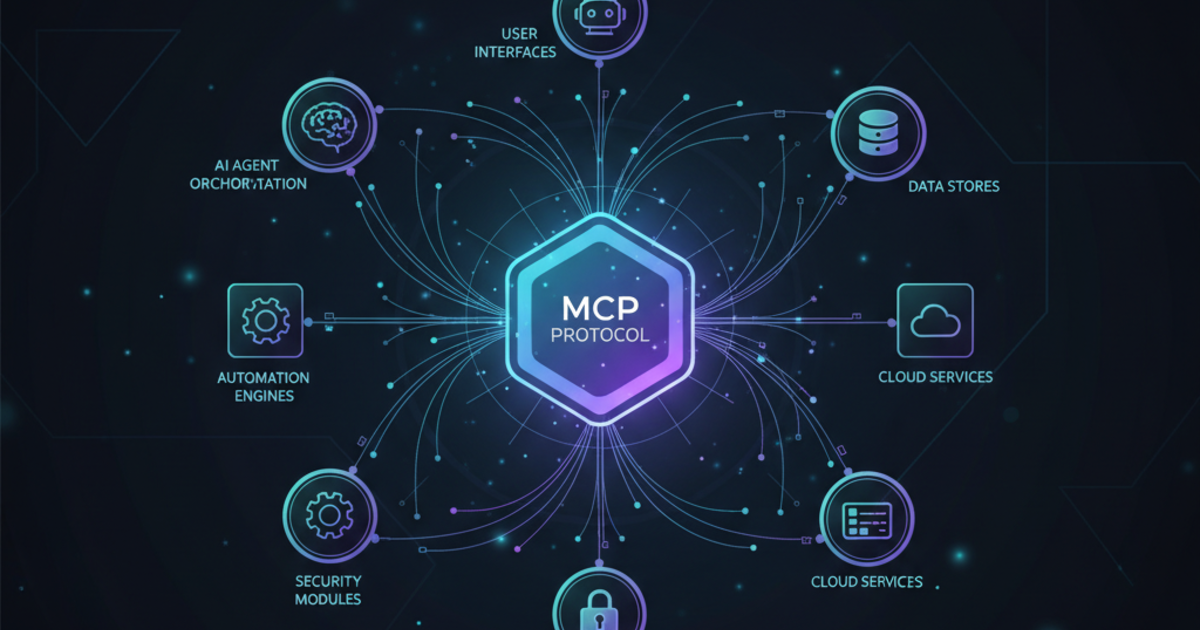
The difference? The Model Context Protocol (MCP) going mainstream. OpenAI, Anthropic, and Google all embracing it. And a new generation of tools that finally bridge the gap between “impressive demo” and “production-ready.”
I’ve tested over 20 AI agent platforms. Most are overhyped. Here’s what’s actually worth your time.
TL;DR — The Quick Take
For non-technical users: Lindy (free tier, build agents in minutes) For developers: CrewAI (free tier, $25/mo pro) or Microsoft Agent Framework (free, open-source) For enterprise: Decagon or IBM watsonx.ai For coding automation: Devin AI ($20/mo) Best value overall: Lindy — it’s genuinely useful out of the box
What Actually Makes an AI Agent?
Let’s cut through the marketing. An AI agent is software that:
- Takes a goal, not just a prompt
- Plans steps to achieve that goal
- Uses tools (APIs, databases, other apps)
- Acts autonomously with minimal hand-holding
- Learns context across conversations
A chatbot answers questions. An agent does things.
Example: “Schedule a meeting with Sarah about the Q2 report” isn’t just a response — the agent checks your calendar, finds Sarah’s email, sends an invite, and updates your CRM. That’s the difference.
Why 2026 Is Different
Three shifts made AI agents actually viable:
1. MCP Went Mainstream
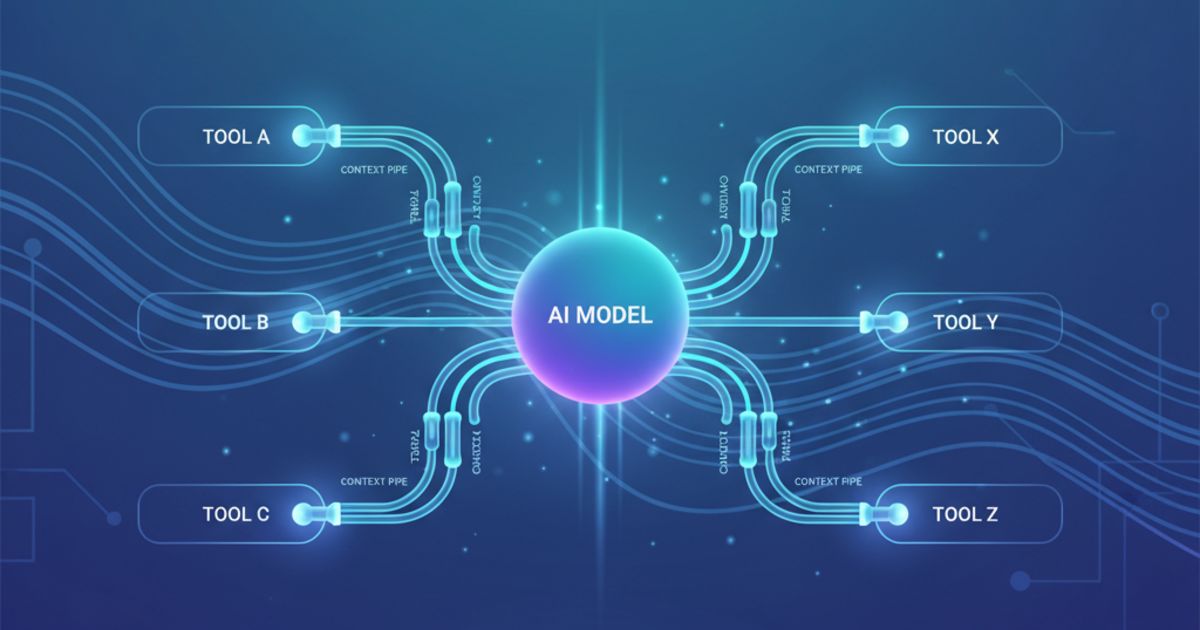
The Model Context Protocol standardized how AI connects to external tools. Before MCP, every integration was custom code. Now there’s a universal plug. OpenAI and Google adopted it. Anthropic donated it to the Linux Foundation. The plumbing works. (Want to understand MCP in depth? Check out our MCP explained guide, or browse the best MCP servers and tools to set up your own agent toolkit.)
2. Enterprise Security Caught Up
Tools like Exabeam now monitor AI agents for suspicious behavior. Governance frameworks exist. IT departments stopped saying “no” and started saying “how.”
3. Pricing Became Reasonable
Running agents used to burn through API credits fast. New models and smarter orchestration made costs predictable. Lindy’s free tier actually works. CrewAI offers a free tier with 50 executions/month and a $25/month Professional plan accessible for small teams.
Best AI Agents for Non-Technical Users
Lindy — Best Overall for No-Code Automation
Price: Free tier available (400 credits), Pro $49.99/mo, Business $299.99/mo
Lindy is what most people actually want: AI agents you can build in minutes without touching code.
You describe what needs doing. Lindy creates an agent. It handles emails, meeting notes, CRM updates, Slack notifications — the administrative work that eats your day.
What works:
- Visual workflow builder (drag triggers, drop actions)
- Thousands of integrations via Pipedream/Apify
- Agents can work together as a team
- Human approval steps where you want them
- Actually usable free tier
What doesn’t:
- Complex logic requires workarounds
- Enterprise features need Business tier
Best for: Freelancers, small teams, anyone drowning in admin work.
Sintra AI — Best for Specialized Business Tasks
Price: Sintra X plan $97/mo
Sintra takes a different approach: instead of one do-everything agent, you get 12 specialized AI “helpers” — one for social media (Soshie), one for customer support (Cassie), one for data analysis (Dexter), etc.
A central “Brain AI” learns your business style and keeps everything consistent.
What works:
- Pre-built specialists reduce setup time
- 90+ “Power-Ups” for specific tasks
- Multilingual (100+ languages)
- 24/7 availability
What doesn’t:
- Too many options can overwhelm new users
- Learning which helper does what takes time
Best for: Small business owners who want AI employees, not tools.
AgentGPT — Best for Quick Experiments
Price: Free tier, Pro ~$40/mo
AgentGPT runs entirely in your browser. Type a goal, watch an agent plan and execute. No installation, no setup.
It’s not production-grade, but it’s the fastest way to test whether AI agents can solve your specific problem.
What works:
- Zero setup required
- Goal-driven planning
- Good for research and content tasks
What doesn’t:
- Limited scalability
- Agents need manual correction for complex tasks
- Free tier is very restricted
Best for: Testing ideas before committing to a platform.
Best AI Agent Frameworks for Developers
CrewAI — Best for Multi-Agent Teams
Price: Free tier (50 executions/mo), Professional $25/mo, Enterprise custom
CrewAI lets you build “crews” of role-based agents. One handles research, another structures content, a third writes — and they collaborate.
It’s Python-based, open-source, and supports OpenAI, Anthropic, Gemini, Hugging Face, and many more models via LiteLLM.
What works:
- Clean role-based architecture
- Full visibility into agent decisions
- Self-hosting option for privacy
- Growing ecosystem of templates
What doesn’t:
- Requires Python knowledge
- Getting agents to collaborate smoothly takes experimentation
- Documentation assumes technical background
Best for: Dev teams building production agent systems.
Microsoft Agent Framework (formerly AutoGen) — Best Open-Source Framework
Price: Free (open-source)
Microsoft’s production-ready framework for building multi-agent systems, combining the research foundations of AutoGen with Semantic Kernel’s enterprise capabilities. Define agents, give them tools, let them coordinate.
Note: Microsoft announced in October 2025 that AutoGen is transitioning to the Microsoft Agent Framework. AutoGen continues to receive bug fixes and security patches, but new projects should start with the Agent Framework, which targets 1.0 GA by Q1 2026.
What works:
- Completely free and open-source
- Maximum flexibility
- Production-grade support path via Microsoft
- Good for understanding how agents work
- Converges AutoGen + Semantic Kernel into one platform
What doesn’t:
- Still maturing (pre-1.0 GA as of early 2026)
- Requires managing your own infrastructure
- Steeper learning curve
- Migration needed for existing AutoGen users
Best for: AI researchers, developers exploring agent architectures, teams invested in the Microsoft ecosystem.
LangChain + LangGraph — Best for Custom Workflows
Price: Free core, paid monitoring/enterprise tools
LangChain is the Swiss Army knife of AI development. LangGraph adds workflow orchestration for agents.
If you want maximum control and don’t mind code, this is where you build.
What works:
- Modular architecture (chains, agents, memory, tools)
- Works with any LLM provider
- LangGraph handles complex multi-step flows
- Large community and ecosystem
What doesn’t:
- Steep learning curve
- Production scaling requires expertise
- Error handling is complex
Best for: Teams with AI/ML expertise building custom solutions.
Best AI Agents for Enterprise
Decagon — Best for Customer Support Automation
Price: Custom quotes
Decagon automates customer support at scale across chat, voice, and social. Instead of prompts, you build “Agent Operating Procedures” (AOPs) — structured instructions for tasks like refunds, account verification, escalation.
Tested processing 100+ concurrent chats while maintaining context. It works.
What works:
- Handles massive scale reliably
- Clear visibility into decisions
- Multi-channel (web, email, voice, SMS)
- Automatic context from CRM
What doesn’t:
- Complex setup (AOPs require iteration)
- Engineering resources needed
- Not for small teams
Best for: Companies handling thousands of support tickets monthly.
IBM watsonx.ai — Best for Enterprise AI Development
Price: Custom pricing
The enterprise-grade platform for building, training, and deploying AI models. Bring your own data, fine-tune models, deploy with governance.
What works:
- Built-in security and compliance
- Fine-tune with private data
- No-code and notebook options
- On-premise deployment available
What doesn’t:
- Assumes technical expertise
- No public pricing
- Not for quick experiments
Best for: Data teams in regulated industries.
Kore.ai — Best for Conversational AI
Price: Custom pricing
Enterprise platform combining voice, chat, and workflow automation. If you’re building an AI-powered call center or complex conversational systems, this is purpose-built.
Best for: Large organizations with sophisticated conversational AI needs.
Best AI Agent for Coding
Devin AI — The Autonomous Developer
Price: Core $20/mo (includes ~9 ACUs), Team $500/mo (250 ACUs), Enterprise custom
Devin plans, codes, and debugs. It’s not just autocomplete — it’s an AI that thinks through problems, writes tests, and ships code. Pricing uses Agent Compute Units (ACUs) — a normalized measure of resources consumed per task.
Still early, but the demos are compelling. The $20/month Core plan is enough to test Devin on real projects, with the Team plan better suited for regular use.
Best for: Developers who want to delegate routine coding tasks.
For more traditional AI coding assistants, see our best AI coding assistants comparison or our Copilot vs Cursor vs Cody showdown.
Pricing Comparison
| Platform | Starting Price | Best For |
|---|---|---|
| Lindy | Free | No-code automation |
| AgentGPT | Free | Quick experiments |
| MS Agent Framework | Free | Developer research |
| LangChain | Free | Custom development |
| CrewAI | Free | Multi-agent teams |
| Devin AI | $20/mo | Coding automation |
| Lindy Pro | $49.99/mo | Heavier workloads |
| Sintra AI | $97/mo | Business specialists |
| Decagon | Quote | Enterprise support |
| watsonx.ai | Quote | Enterprise AI |
How to Choose
Start with your skill level:
- Non-technical? → Lindy or Sintra AI
- Comfortable with code? → CrewAI, LangChain, or Microsoft Agent Framework
- Enterprise needs? → Decagon, watsonx, or Kore.ai
Then consider the task:
- Email/calendar/CRM automation → Lindy (see also Zapier vs Make vs n8n for workflow automation)
- Customer support at scale → Decagon (or see our AI customer support tools guide)
- Multi-agent collaboration → CrewAI
- Coding tasks → Devin AI
- Custom everything → LangChain
My honest recommendation: Start with Lindy’s free tier. Build a simple agent. See if AI agents even solve your problem. Then scale up.
Most people don’t need CrewAI’s complexity (though its free tier makes experimenting easy). Most businesses don’t need enterprise pricing. Start simple.
New to AI tools entirely? Check out our beginner’s guide before diving into agents.
The Bottom Line
AI agents in 2026 actually work. Not perfectly — but well enough to save real hours on real tasks.
The gap between “impressive demo” and “useful tool” finally closed. MCP standardized connections. Pricing became reasonable. Governance caught up.
If you’ve been skeptical, now’s the time to test. Pick one platform, one workflow, one week. See what happens.
The tools are ready. The question is whether you are.
For AI tools that enhance your workflow without agentic capabilities, see our beginner’s guide to AI tools. Looking for AI writing assistants? Check our best AI writing tools guide. And for the biggest shakeup in consumer AI assistants, see what the new Siri and Gemini AI mean for February 2026.
📬 Get weekly AI tool reviews and comparisons delivered to your inbox — subscribe to the AristoAIStack newsletter.
Keep Reading
- MCP Protocol Explained
- 7 Best AI Coding Assistants Ranked
- AI Productivity Stack for Solopreneurs
- Getting Started With AI Tools
Last updated: February 2026